


How to Mount a TV on Gondola Shelving | SI Retail
How to add a TV to gondola shelving for in-store promotions
Adding a TV to gondola shelving lets you show promotional videos and product information beside the merchandise. For compatible Versa® shelving, SI Retail’s TV mounting bracket pair attaches the screen to a shelving crossbar, creating a digital display within the bay.
It gives retailers another way to explain a product, introduce a range or highlight an offer where customers are browsing. Start with the message you want to show, then choose a screen and mounting arrangement that suit the shelving.
In this article
- Bring product information closer to the display
- Mount the screen within your Versa shelving bay
- Match the TV size to the shelving width
- Choose a viewing position that suits the aisle
- Plan the message before filling the screen
- Check the complete display before installation
- Create a digital display for your retail shelves
Bring product information closer to the display
A screen beside a product can answer questions that are difficult to cover on a small shelf ticket. Consider a short demonstration of how an accessory works, a comparison between two models or a guide to choosing the right size.
For example, a hardware display could show a tool being used while the corresponding products sit below. An automotive accessory bay could explain the differences within a range. A convenience store could use a screen to introduce a seasonal offer.
Keep each message closely connected to the nearby stock. Customers should be able to identify the featured product without searching another aisle.
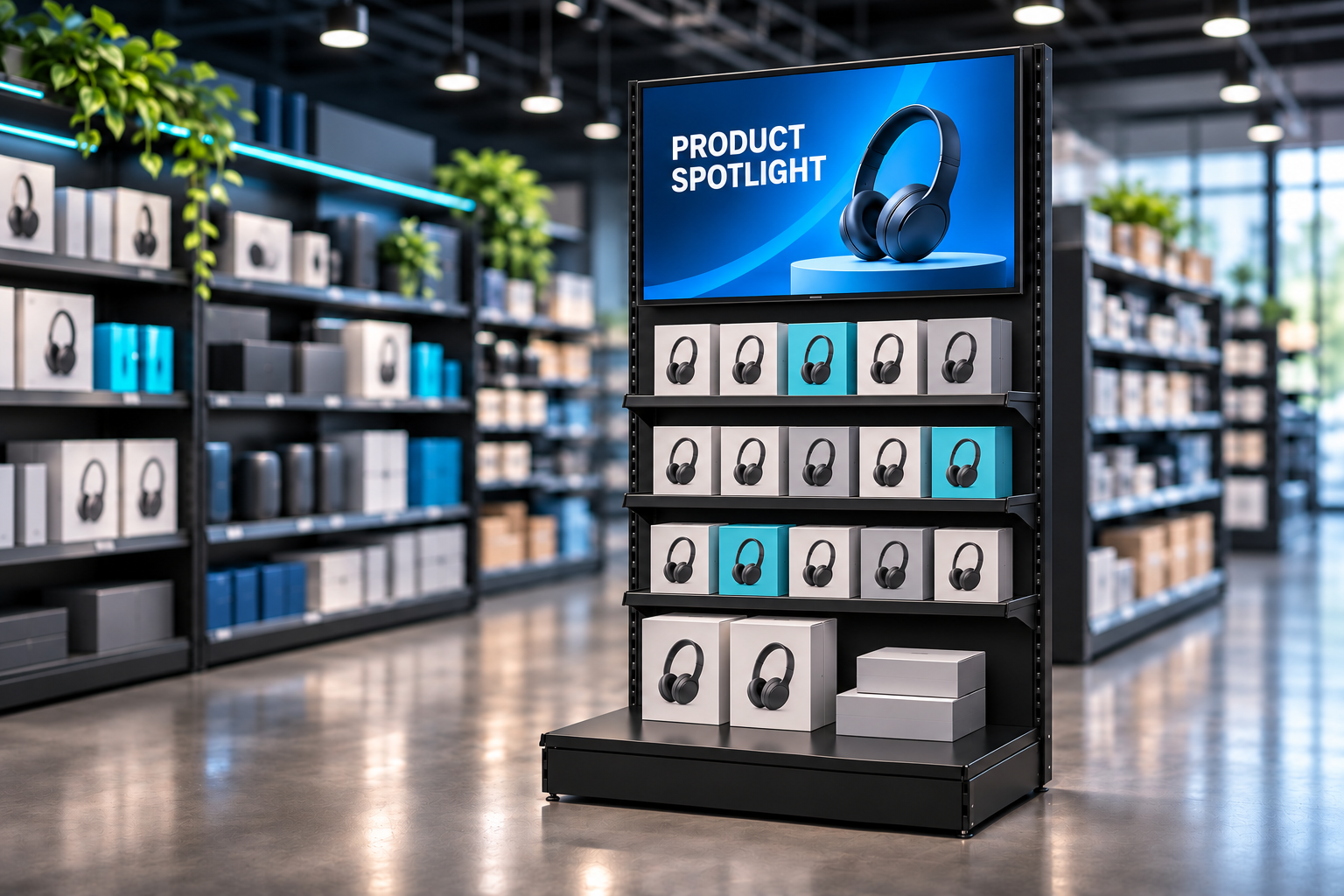
TV mounted on black Versa® gondola shelving with a product promotion on screen and merchandise displayed below.
Mount the screen within your Versa shelving bay
The Versa® gondola TV mounting brackets are supplied as two brackets and fit a compatible 12mm Versa crossbar.
This arrangement supports a screen within the merchandising display without needing a separate floor stand or a nearby wall as the mounting surface. It is designed for the Versa system; confirm the complete arrangement before fitting a TV to an existing bay.
If you are planning the display from the beginning, explore Versa® gondola shelving and select the bay around both the merchandise and the screen.
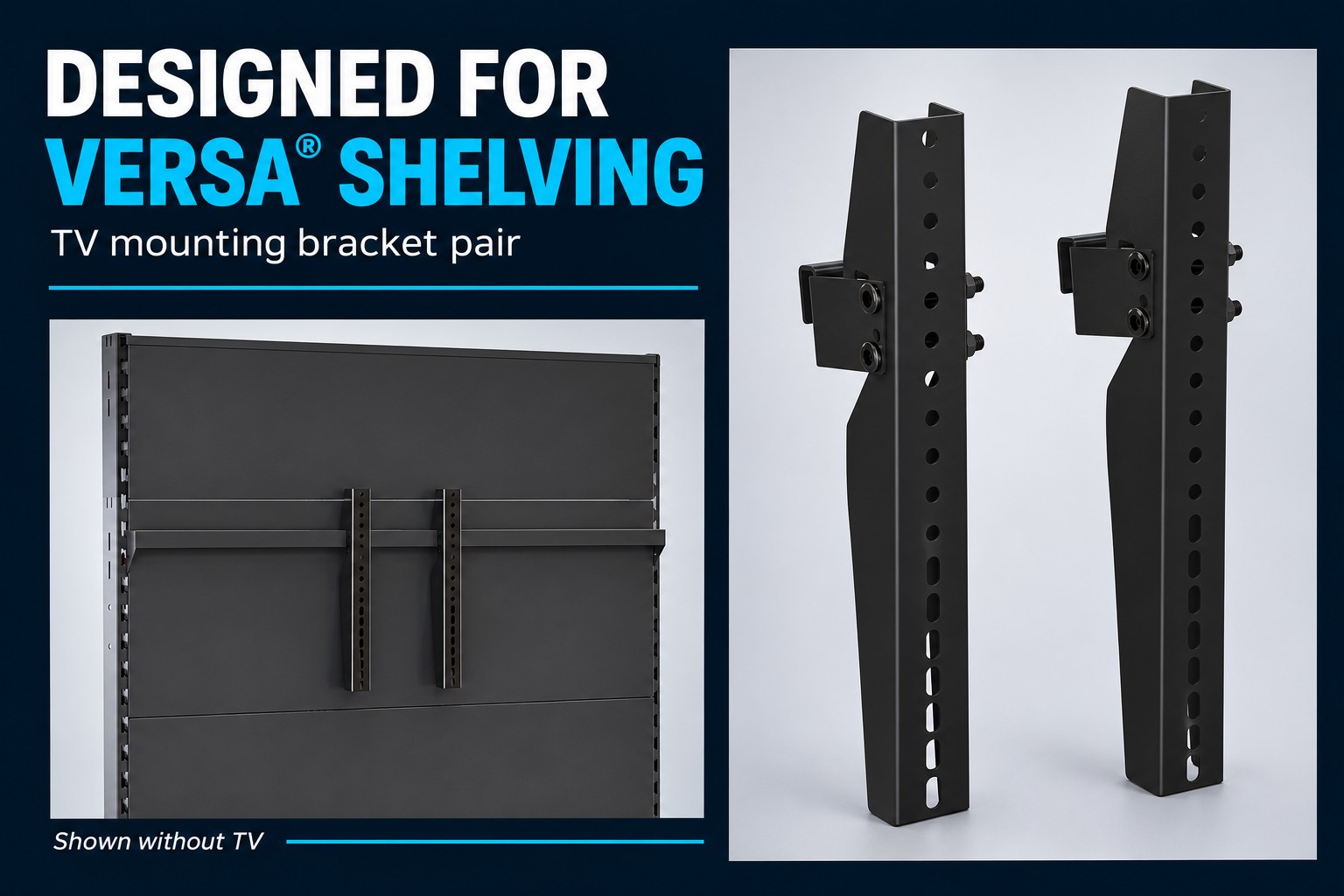
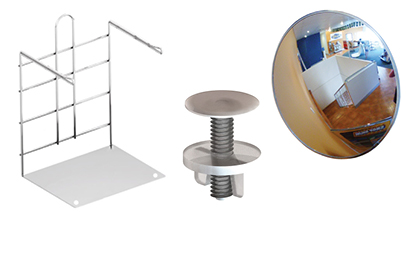
TV bracket pair and mounting arrangement, illustrated without the television.
Match the TV size to the shelving width
A television’s advertised screen size is measured diagonally. Its overall width, including the frame, is the measurement to compare with your shelving bay.
SI Retail recommends the following starting points for this bracket:
| Versa bay width | Recommended screen size |
|---|---|
| 1200mm | Up to 50 inches, subject to the TV’s actual dimensions |
| 914mm | 40 inches recommended |
Check the chosen television’s overall width, weight and mounting compatibility before installation. Screen size alone does not confirm that a particular TV will fit.
Also consider the products around it. Leave enough space for customers to see the merchandise and for staff to replenish stock without contacting the screen.
Choose a viewing position that suits the aisle
The bracket includes adaptors that provide a 10° downward viewing angle. These can be removed for an upright position against the crossbar.
Choose the position by looking at the proposed display from the aisle. If the screen sits above the customer’s eye line, assess how easily the message can be read from below.
Check reflections from store lighting and windows, and look at the screen from the directions customers normally approach. Make the important text large enough to read from the intended viewing position.
Plan the message before filling the screen
A useful retail screen starts with one clear job. Decide whether it will demonstrate a product, explain a choice or communicate an offer.
Build the content around that task:
- Product demonstrations: show the key action or feature early.
- Range comparisons: make the differences easy to identify.
- Promotional offers: clearly identify the product and the offer conditions.
- New arrivals: show what is new and where to find it in the display.
Design the message so it makes sense without sound. Use concise captions and avoid placing essential information only in a voiceover.
For changing promotions, assign someone to update the content and remove expired offers. Check that the screen message agrees with the shelf ticket and the products currently stocked.
Check the complete display before installation
Confirm the compatible shelving and Versa crossbar, the TV’s mounting requirements and the suitability of the whole installation. Plan the power supply, content playback and cable route as part of the display.
Keep cables clear of products, moving equipment and customer access. Follow the mounting and television instructions, and ask SI Retail to confirm the arrangement if any compatibility details are unclear.
Trial the content on the intended screen before launching the promotion. View it with the bay stocked to check readability, product visibility and access for replenishment.
Create a digital display for your retail shelves
A well-planned screen gives your shelving space for demonstrations and information that customers can view alongside the products.
Explore SI Retail’s Versa® Gondola Shelving TV Mounting Bracket pair , or call 1300 434 775 to discuss your bay width, television dimensions and mounting requirements.